
Coming soon · Release date: October 11, 2026
UpdatedPhantom Fleet system requirements: Can Your PC Run It?
Check Phantom Fleet system requirements, compare minimum and recommended specs, and review Windows support, storage needs, and the planned release date.
Jump to
Phantom Fleet PC Requirements at a Glance
Before you take the helm of a ghost ship, check whether your computer meets the Phantom Fleet system requirements. The listed minimum starts with an Intel Core i5-6400, 8 GB of RAM, and a GeForce GTX 750 Ti, giving you concrete hardware targets to compare against your PC. The Phantom Fleet system requirements also specify a 64-bit Windows installation, OpenGL 3.3 support at minimum, and a keyboard and mouse—details that matter alongside your processor and graphics card.
Phantom Fleet is an upcoming single-player naval action roguelite from DevMakerMin, published by DMM. Its Steam listing schedules release for October 11, 2026. These are prerelease specifications, so treat them as the published compatibility targets rather than evidence of measured performance.
Here is the complete minimum-versus-recommended comparison:
| Component | Minimum requirements | Recommended requirements |
|---|---|---|
| System architecture | 64-bit processor and operating system | 64-bit processor and operating system |
| Operating system | Windows 10 64-bit | Windows 11 64-bit |
| Processor | Intel Core i5-6400 or equivalent | Intel Core i5-8400 or equivalent |
| Memory | 8 GB RAM | 16 GB RAM |
| Graphics | NVIDIA GeForce GTX 750 Ti or equivalent; OpenGL 3.3 support | NVIDIA GeForce GTX 1050 Ti |
| Storage | 1 GB available space | 1 GB available space |
| Audio | Windows-compatible audio device | Windows-compatible audio device |
| Required input | Keyboard and mouse | Keyboard and mouse |
The specifications give you a useful starting point, but they do not attach either configuration to a resolution, graphics preset, or frame-rate target. Meeting the recommended requirements does not guarantee a particular performance result.
How to Compare the Specs With Your Hardware
The most useful way to read the Phantom Fleet system requirements is component by component. A computer with enough memory can still fall short on graphics compatibility, while a capable graphics card does not resolve an unsupported operating system.
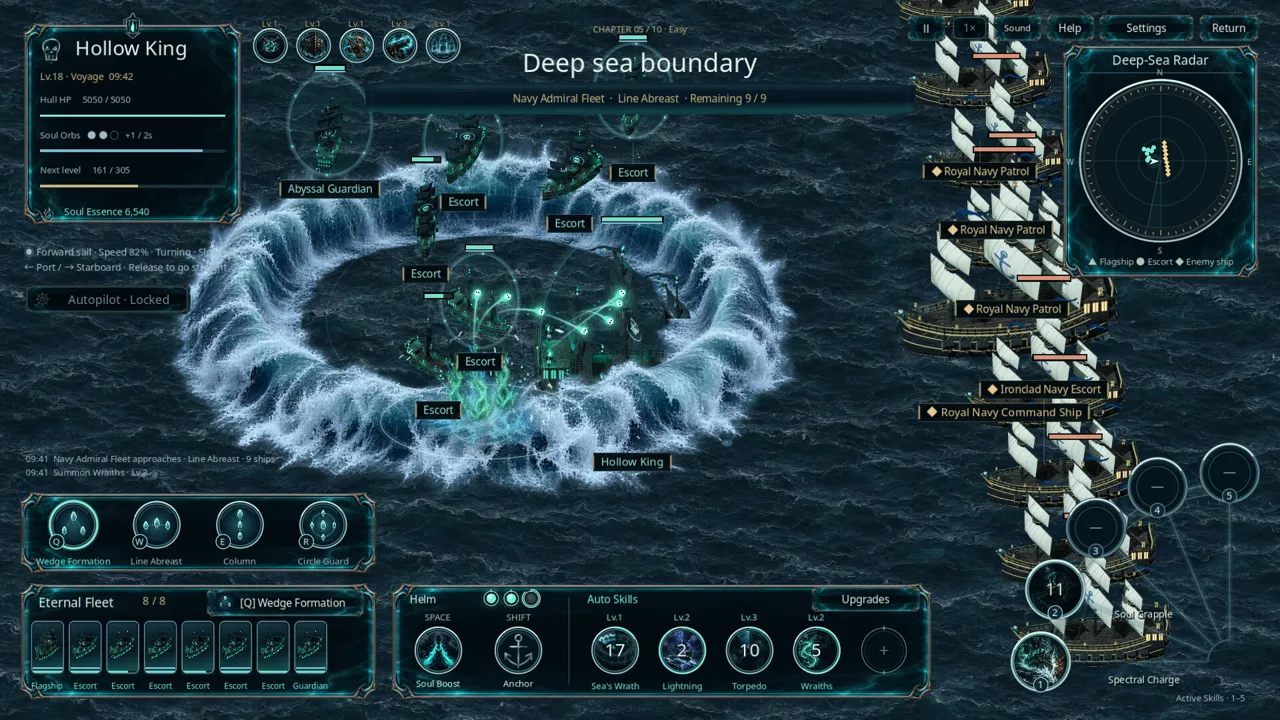 Image: Steam / DevMakerMin
Start by identifying your exact processor and GPU models. Labels such as “Core i5” or “GeForce GTX” describe broad product families; the model numbers provide the meaningful comparison.
Processor: Check the Full Model Name
The minimum CPU is an Intel Core i5-6400 or equivalent, while the recommended CPU is an Intel Core i5-8400 or equivalent. Both configurations allow comparable processors.
If your computer uses an AMD chip or another Intel model, avoid making a decision from brand names alone. Comparing its capabilities with the named CPU is more useful than assuming every processor in the same family meets the requirement.
For laptops, keep the complete model suffix in your comparison. A mobile processor and a desktop processor with similar names should not automatically be treated as interchangeable.
Memory: Compare Installed RAM With the Right Column
Phantom Fleet lists 8 GB of RAM minimum and 16 GB recommended. The recommended amount is twice the minimum, but that difference does not mean doubling memory doubles game performance.
A system with 8 GB matches the published memory minimum. A system with 16 GB matches the recommended memory entry. Neither result, on its own, tells you whether the processor, graphics hardware, or operating system meets the remaining requirements.
As general preparation, closing unnecessary applications can reduce competition for system memory. That is sensible housekeeping, though it cannot substitute for meeting the listed hardware specifications.
Graphics: Keep OpenGL Support in the Comparison
The minimum graphics entry names a GeForce GTX 750 Ti or equivalent with OpenGL 3.3 support. The recommended entry names a GeForce GTX 1050 Ti.
OpenGL compatibility deserves attention, particularly if you are checking an older computer or integrated graphics. A GPU name that looks broadly comparable is not enough to establish compatibility without checking the required graphics API support.
The Phantom Fleet system requirements do not name an integrated GPU or provide a laptop graphics compatibility list. Treat those configurations as needing further comparison rather than assuming they qualify.
What the Performance Targets Leave Unspecified
The published specifications do not provide:
- A target frame rate for minimum or recommended hardware.
- A resolution associated with either configuration.
- A graphics preset associated with either configuration.
- Measured results for integrated graphics or particular laptops.
That limits how precisely anyone can answer “Can my PC run it?” before testing. Hardware comparisons can show whether your machine aligns with the listing; they cannot supply missing benchmark results.
Windows Support, Input Devices, and Other Compatibility Questions
Phantom Fleet currently lists Windows support only. Its platform information marks macOS and Linux as unsupported, while its requirements distinguish Windows 10 at minimum from Windows 11 at the recommended level.
 Image: Steam / DevMakerMin
That distinction matters if you are planning where to install the game. The Phantom Fleet system requirements cover Windows configurations.
| Platform or input question | Published information | What to check |
|---|---|---|
| Windows 10 | Listed at minimum, in 64-bit form | Confirm your installed system is 64-bit |
| Windows 11 | Listed as recommended, in 64-bit form | Compare the remaining hardware requirements too |
| macOS | No native support listed | Do not assume a Mac version is available |
| Linux | No native support listed | |
| Keyboard and mouse | Required in both specification tiers | Have both available before installing |
| Controller | Do not plan around controller-only play |
A Windows version alone does not settle compatibility. You still need the appropriate processor architecture, enough RAM, compatible graphics hardware, and available storage.
Both specification tiers require a keyboard and mouse.
Likewise, Linux compatibility through a separate compatibility layer is a different question from native Linux support. The published platform flags do not resolve that question.
For audio, both tiers specify a Windows-compatible device. No particular sound card model or specialized audio hardware appears in the requirements.
Preparing Your PC and Checking the Listed Demo
The published storage requirement is 1 GB of available space at both minimum and recommended levels. This is an available-space requirement, not a confirmed download size. It also does not specify an SSD or HDD.
Before installation, check free space on the drive you intend to use. A drive’s total capacity does not tell you how much room remains after Windows, applications, and existing games.
The following checklist turns the Phantom Fleet system requirements into a practical compatibility review:
| Check | Detail to compare | Useful next action |
|---|---|---|
| Operating system | Windows version and 64-bit architecture | Confirm both match a listed configuration |
| Processor | Complete CPU model | Compare with the i5-6400 minimum or i5-8400 recommendation |
| Memory | Installed system RAM | Check against 8 GB minimum and 16 GB recommended |
| Graphics | Exact GPU model and OpenGL support | Review hardware and driver compatibility |
| Storage | Free space on the intended installation drive | Ensure at least the listed 1 GB is available |
| Input and audio | Keyboard, mouse, and Windows-compatible audio | Confirm the required devices are ready |
Keeping compatible graphics drivers current is reasonable preparation, especially when checking an API requirement such as OpenGL 3.3. Use the appropriate hardware vendor’s driver information rather than assuming a driver update can add capabilities the GPU lacks.
The base game’s Steam listing also identifies a separate Phantom Fleet demo, under Steam app ID 5336680. You can visit the Phantom Fleet demo page on Steam to check its current installation options.
If the demo is available to install, it may offer a useful opportunity to assess compatibility on your own machine. The demo's content, hardware demands, and performance may not match the final release exactly.
There are no hands-on results here to support a promised frame rate. Use any available demo as a practical check, while continuing to compare your system with the full game’s published requirements.
Release Date, Wishlist, and What the Game Advertises
Phantom Fleet is scheduled for October 11, 2026, and remains unreleased in the prerelease information covered here.
If your computer appears to meet the Phantom Fleet system requirements, the next useful step is to visit Phantom Fleet on Steam and add it to your wishlist.
| Release detail | Listed information |
|---|---|
| Planned release date | October 11, 2026 |
| Prerelease status | Coming soon |
| Developer | DevMakerMin |
| Publisher | DMM |
| Listed PC platform | Windows |
| Game format | Single-player naval action roguelite |
| Demo listing | Separate Steam app, ID 5336680 |
A wishlist is the appropriate available action for following the game without assuming a purchase option.
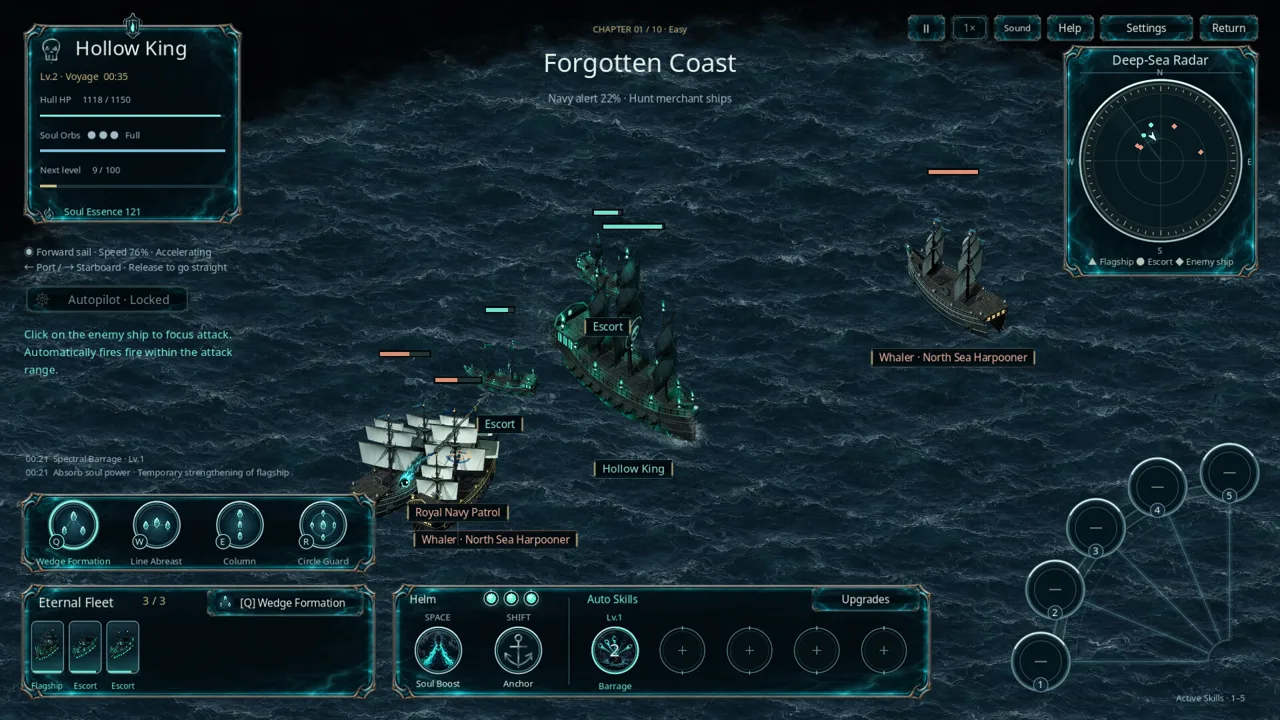
For a brief sense of the advertised experience, Phantom Fleet puts you in command of the ghost ship Hollow King. Its store description presents naval combat across ten sea regions, recruited ghost escorts, upgrade cards, and up to five automatic skill slots.
Those features describe the planned game; they do not show how it performs on minimum hardware. The presence of multiple ships and supernatural effects is also not enough to predict a specific frame rate or justify an unsupported hardware recommendation.
The Steam listing includes a trailer and screenshots for a closer look at the presentation. They can help you decide whether the game interests you, but promotional footage is not a benchmark for your particular computer.
Before release, keep your decision grounded in three things: the complete requirements, your exact hardware, and any compatibility information available through the listed demo. Revisit the store page around launch for changes to the specifications or release status.
FAQ
What are the minimum Phantom Fleet system requirements?
The minimum requirements are Windows 10 64-bit, an Intel Core i5-6400 or equivalent, 8 GB RAM, and a GeForce GTX 750 Ti or equivalent with OpenGL 3.3 support. You also need 1 GB of available storage, a Windows-compatible audio device, and a keyboard and mouse.
What hardware does Phantom Fleet recommend?
The recommended configuration is Windows 11 64-bit, an Intel Core i5-8400 or equivalent, 16 GB RAM, and a GeForce GTX 1050 Ti. Storage remains 1 GB. The listing does not connect this configuration to a specific resolution, preset, or frame-rate target.
Is Phantom Fleet available for Mac or Linux?
The current platform listing supports Windows and does not list native macOS or Linux versions.
When does Phantom Fleet release, and is there a demo?
Phantom Fleet is scheduled to release on October 11, 2026. An exact unlock time is not provided. The base game lists a separate Steam demo, which you can check for current availability, but demo performance should not be treated as a guarantee for the full release.
Join the community
Official channels for news, updates and player help: